
When you have an online store, it's not enough to just capture the user's attention: the main goal is to retain them long enough to complete a purchase.
To achieve this goal, it's advisable to analyze and understand user behavior on our site. Tools like heatmaps are very useful for this.
What are heat maps?
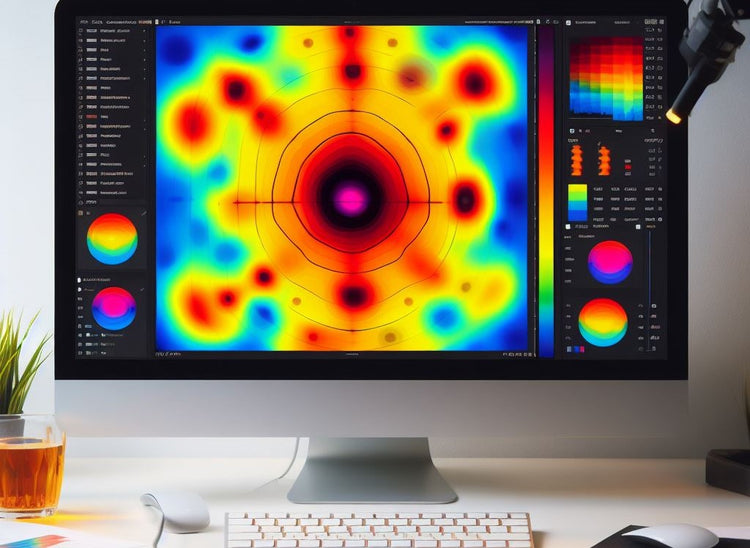
Heatmaps are a visual representation of data that shows how users interact with a website or e-commerce site , from their browsing path to the places they click.
This type of map uses a range of colors from warm tones, such as yellow, orange, and red, to cool tones, such as blue and green. Generally, areas with warm colors indicate where users focus their attention most, while areas with cool colors indicate areas where they interact less.
Types of heat maps and their applications in Shopify
There are several types of heatmaps. Some of the most commonly used for analyzing user behavior on a website are:
Displacement heat maps
This map represents how users scroll vertically on a webpage, showing how far they get before leaving. It helps assess page length; if most users stop halfway down, it might be too long.
By providing the percentages of visitors scrolling through each section, the map shows the most viewed areas, making it easier to identify strategic points to include calls to action or other important information.
Click heat maps
These are maps that show the areas where users click most frequently and where there has been no click activity.
The "hottest" sections on the map indicate the areas with the highest click frequency, helping to understand user response to interactive elements, such as Calls to Action (CTAs). Additionally, this map can reveal distractions from non-interactive elements.
Movement heat maps
Movement maps offer a detailed view of where visitors move their cursor while browsing a website or e-commerce site, and where they have spent the most time.
In addition, this type of map shows if there are secondary elements that distract users' attention from other elements that are important within the site.

What is the purpose of using heat maps in an online store?
These are some of the ways in which heat maps can improve the effectiveness of an online store and the user experience:
New or redesigned page design
When creating a new page, or making significant changes to an online store, heat maps can be used to assess whether the design is working effectively and, if necessary, make adjustments based on actual user behavior.
Product page optimization
Product pages are the most valuable part of an online store because they drive conversions. Heat maps can be used to understand which visuals or descriptions attract the most attention; this information helps improve product presentation.
Conversion funnel analysis
By examining heat maps on key pages of the conversion funnel, such as the shopping cart and checkout page, obstacles that might be hindering purchase completion can be identified.
Audience segmentation and user behavior
Heat maps are useful when you want to understand how different audience segments interact within your online store. Heat maps can be analyzed by location, age, or behavior, allowing you to tailor the design and content to meet the specific needs of each segment.
A/B testing and continuous optimization
Heatmaps are tools that help evaluate performance during A/B testing. They can be used to analyze how users interact with different versions of a page to determine which changes are most effective in terms of user engagement and conversions.
Evaluation of relevant content
Heat maps indicate where users pause to read or interact for longer periods. This helps evaluate content effectiveness by identifying areas or elements of greatest interest. With this information, the presentation can be optimized to ensure users engage with the most relevant content.
Identifying usability problems
They help uncover user experience problems, such as areas where users abandon the page or have difficulty finding information. This data helps make improvements to usability and navigation, increasing user retention and satisfaction.
We invite you to read: UX techniques to increase the conversion rate of an e-commerce site
How to create a heat map?
There are several heat map tools that are widely used to analyze user behavior; some of the best known are:
Microsoft Clarity
Microsoft Clarity is a free tool that integrates with Google Analytics. It can process data in real time through a dashboard and offers a detailed view of user behavior. The ability to view actual user recordings is a feature that provides valuable insights into direct user interaction with the page.
Hotjar
Hotjar is one of the most widely used heatmap tools, offering various ways to track user behavior and generate detailed reports. It also provides real-time recordings of users browsing the page, giving instant insights to optimize and improve the user experience.
Mouseflow
Mouseflow not only offers heatmaps but also A/B testing capabilities. This tool lets you see which UI elements are performing efficiently and which aren't. It also allows you to visualize entire visitor sessions and gain a more comprehensive understanding of the user experience.
Lucky Orange
Lucky Orange offers various heat maps, form analytics, surveys, recordings, and sales charts. These features are useful for understanding the user journey when arriving at an e-commerce site.
Crazy Egg
Crazy Egg is an application that offers several tools, including heatmaps. It uses mouse-tracking technology to record how users interact with a website. This tool provides detailed information on behavior patterns, helping to identify areas of user interest and potential design improvements.
Conclusion
We know that the world of e-commerce is one of the most competitive, and every click makes a difference. Heatmaps are essential tools for anyone with an online store, as the information they provide allows you to make the right adjustments to create a better shopping experience and boost your conversions. Are you looking for tools to help you improve your online store? Tell us about your project in our free consultation!
