
So far, we've provided you with various articles containing relevant information to help your e-commerce site be easily accessible to your customers and have the elements that make it stand out from the competition, such as responsive design , the types of photos you should include, product descriptions, and so on. But there's one very important detail that's part of the buying process: shipping.
Shopify offers several ways to ship orders, and here we'll tell you what you need to know to quickly and securely send orders to your customers.

What do you need to do before shipping your products?
Design the packaging
Sometimes, people base their purchases on how "pretty" the packaging looks when they receive it. Thanks to social media, unboxing videos have become incredibly popular, leading many brands to invest more in packaging that reflects their brand identity , as they know that anyone could talk about them on social media and they could go viral.
Use your creativity; you can use items such as colorful cardboard boxes, cloth bags, wrapping paper with a graphic representing your brand, you can even use stickers.
To add a more personalized touch and make your customer feel special, you can include thank-you cards, letting them know that their purchases mean a lot to the growth of your e-commerce business. These kinds of details are what make customer service unique and memorable.
It's time to pack
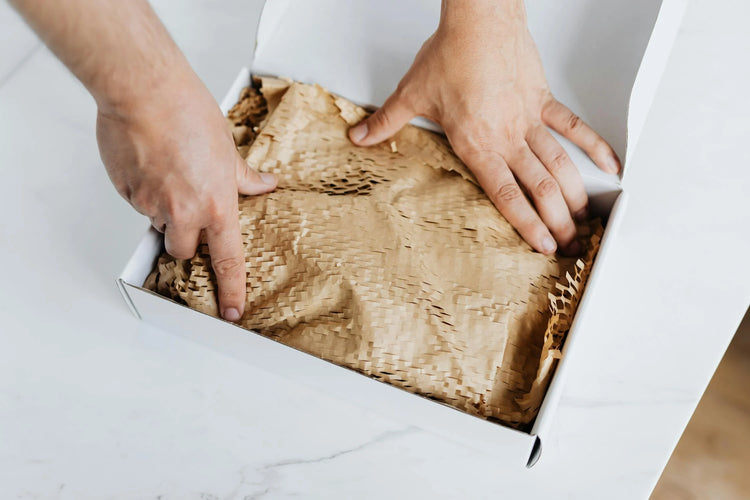
When packing a customer's order, make sure it's securely in place and protected from impacts and drops. You can use different protective materials depending on the fragility of the items you're adding to the box, such as bubble wrap, air-filled plastic bags, or polyethylene packing peanuts, to ensure the order arrives safely and intact.
Print the shipping label
Once you receive the order, log in to your Shopify dashboard to access the shipping label . This label will display all the necessary customer information, such as their name, contact details, and most importantly, the shipping address.
Next, place the shipping label right on top of your sealed package and set it aside while you pack any other orders you may have.
Shipping methods in Shopify
Once you have all your orders packed and labeled, it's time to ship them to your customers. There are several ways to send packages; one of the most common shipping methods in Mexico is, of course, standard Shopify shipping . Shopify allows integration with popular courier services in Mexico, such as Estafeta, DHL, and FedEx. Shipping rates can vary depending on the weight or delivery location, and Shopify can automatically calculate them based on your chosen options.
Another option you can offer users is to pick up their package at a designated collection point . This is ideal for people who work outside the home every day and don't have anyone to receive their package at home. This shipping method is flexible and just as efficient as standard delivery methods.
We all love free shipping , and one strategy to offer it in your Shopify store without losing profit is to set a minimum threshold—that is, offer free shipping starting at a certain purchase amount. For example, free shipping on orders over $500, especially during events like Black Friday or Hot Sale.

Logistics services on Shopify
A common practice among Shopify experts is to use logistics services to help store and ship all orders. If you're an established brand receiving multiple orders per month and can no longer keep up with constantly going to the shipping service, it might be time to find a partner.
When a business uses a logistics service, it doesn't work alone, but rather in partnership with experts who help streamline logistics, including inventory management. What does this mean? It means that the people who pack your customers' orders will now be in charge of the logistics service. Doesn't that sound amazing?
Logistics integrations with Shopify
A favorite partner for our Shopify experts is Cubbo , a company specializing in e-commerce logistics services. Their main goal is to handle the entire delivery process: from when a customer places an order until it's delivered, allowing brands to focus on growing their business without worrying about logistics.
Cubbo integrates with Shopify to optimize the logistics management of each e-commerce site that is part of the same platform.
How does Cubbo work with Shopify?
- A seamless integration: By integrating your Shopify store with Cubbo, an automatic connection is created that synchronizes inventory and orders in real time. This means that any changes to your inventory in Shopify will be instantly reflected in the Cubbo system, and vice versa.
- Forget about orders: Well, not literally, but you can pass your customers' orders to the Cubbo system. When a customer places an order on your e-commerce site, Cubbo takes care of the entire fulfillment process. This includes packing the products and adding shipping labels according to your customer's specifications, as well as assigning the fastest and most economical courier service for delivery; even achieving 24-hour delivery or less in Mexico City and surrounding metropolitan areas!
- Order tracking: Everyone who makes an online purchase is eager to receive it, so Cubbo provides constant order status updates and tracking, keeping customers informed throughout the delivery process. This enhances the customer experience and gives them peace of mind.
- Exchanges and returns: If customers are not satisfied with their purchases, they can easily request returns or exchanges, and Cubbo processes these requests efficiently, restocking the products in inventory the same day they arrive at the warehouse. This ensures you don't lose the sale and that someone else can purchase the product.
- Support and optimization: At Getmore , we love providing excellent customer service, offering 24/7 support for our customers' questions. And as Shopify Plus Partners, we need our partners to be equally committed to supporting and assisting those who have questions about their online store logistics.
As you can see, shipping on Shopify can be simpler than it sounds if you have the right partners. Another trick up your sleeve that can further help you get your e-commerce business running smoothly is contacting a Shopify Plus Partner. Their expertise makes them Shopify specialists who will ensure your online store functions correctly.
Imagine the growth your brand would experience if you had Getmore and Cubbo as your partners.

How to set up shipping in your Shopify store?
Setting up shipping in Shopify is easy, but if you have any questions, here are a series of steps to help you do it:
Step 1: Access Shipping Settings
- Log in to your Shopify account.
- In the administration panel, go to Settings .
- Select Shipping and Delivery.
Step 2: Configure the Shipping Zones
Shipping zones allow you to specify the regions to which you ship your products. In Mexico, it's recommended to configure specific zones by state, as rates can vary significantly between regions.
- In the General Shipping Rates section, click Manage Rates next to the shipping profile you want to edit.
- Click on Add shipping zone.
- Give the shipping zone a name (For example, "Mexico City" or "Jalisco").
- Select the states or regions you wish to include in this zone.
- Click on Done .
Step 3: Set Shipping Rates
- Within the shipping zone you just created, click Add Rate .
- You can choose between Setting your own rates or Using a carrier or app to calculate rates .
Set your own rates:
- Give the rate a name (for example, "Standard Shipping").
- Set a fixed price for the fee or a fee based on weight, along with the estimated delivery business days (example: 2 to 3 business days)
- Click on Done .
Use a carrier or app to calculate fares:
- Select the carrier (such as UPS, FedEx, Estafeta, etc.).
- Configure the options according to the carrier's rates.
- Click on Done .
Step 4: Set up Free Shipping in Shopify (Optional)
- Within the shipping area, click on Add rate .
- Give the rate a name (for example, "Free Shipping").
- Set the price to $0.
- (Optional) Set conditions for free shipping, such as a minimum purchase amount.
- Click on Done .
Step 5: Configure Local Pickup (Optional)
- In the Local Collection section, click on Manage .
- Activate local pickup for your desired location.
- Configure the options and conditions for local pickup.
- Click Save .
Step 6: Configure Local Delivery (Optional)
- In the Local Delivery section, click Manage .
- Activate local delivery for the location you want.
- Configure the options and conditions for local delivery.
- Click Save .
Step 7: Save Settings
As a final step, be sure to save all your changes. Shopify will automatically apply these settings to the checkout process. And that's it! Your e-commerce store is ready to ship to the regions you choose.
Additional Tips
- Test your settings : Place a couple of test orders to ensure that the rates are calculated correctly and the delivery times are appropriate.
- Monitor costs : Periodically review your shipping costs and adjust rates as needed.
- Communicate clearly : Make sure your customers understand your shipping options and rates on the product page and throughout the checkout process. Including tracking information is essential for building trust and keeping customers informed.
Keep in mind that these steps may vary depending on whether you use a logistics service or not. As you can see, there are several steps, so it can be confusing, but you can ask a Shopify Expert for help if you have specific questions about setting up your shipments.
Conclusion
To ship your products, you need to think about everything, from the creative packaging to the carrier that will deliver them to your customers. Fortunately, setting up shipping in Shopify is quick and easy, and there are people like Shopify Plus Partners who are experts in this and much more.
If you'd like to learn more about shipping methods on Shopify , write to us ! We'll guide you through the process to help your e-commerce business succeed in the market.
